
You set a hotplate to 80 °C, and once things have settled a thermometer in the beaker reads well below that. Or you turn the dial up to get there faster and the solution sails past the temperature you wanted. Both happen for the same reason: unless you tell it otherwise, a hotplate controls the temperature of its own plate, not the temperature of your liquid. This article explains why the liquid lags behind the plate, why temperatures overshoot, and what changes when you hand control to an external PT1000 temperature probe immersed in the liquid. It also sets out what a probe does not change, and how to read the accuracy figures in the product specifications without mixing them up.
Quick answer: Without a probe, the hotplate's controller holds the plate at the set point; while heat is flowing into the sample, the liquid is typically cooler than the plate, by an amount that depends on vessel, volume, stirring and evaporation. Overshoot comes from delay: heat already stored in the plate and glass keeps flowing after the controller backs off. An external hot plate temperature probe moves the control reference into the liquid, so the controller works to the temperature you actually care about. It does not remove lag, it does not make the liquid uniform, and it only helps if it is immersed correctly and stays put. Of 43 ALab™ heating products, 28 offer an external temperature sensor, all of them PT1000.
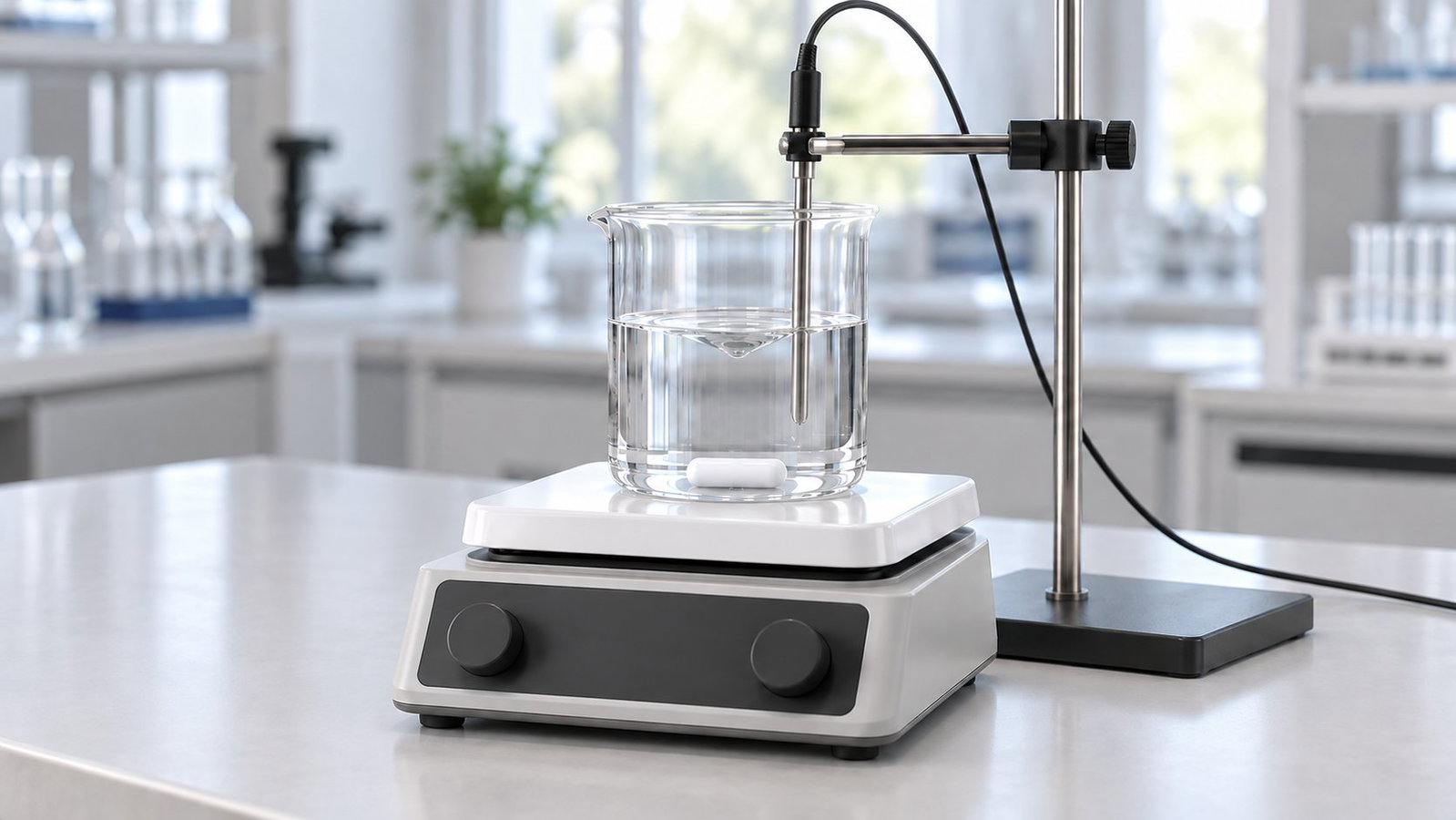
1. What the Display Is Actually Reading
A hotplate's heating element sits under the top plate, and a temperature sensor inside the unit measures the plate, or a point close to it. In normal operation the controller compares that internal reading with your set point and switches or modulates the heater to bring the two together. When the display shows a temperature without an external probe connected, it is reporting that internal measurement.
That is a perfectly good number for what it describes. It tells you how hot the heating surface is, which matters for drying, for heating a solid sample sitting directly on the plate, and for keeping a surface below a temperature you do not want to exceed. What it does not tell you is the temperature of a liquid in a glass vessel standing on that surface. Treating the two as the same is the root of most "my hotplate is inaccurate" complaints, even when the hotplate is doing exactly what it was built to do [1][2].
2. Why the Liquid Lags Behind the Plate
Heat reaches your sample through a chain of layers in series: from the heater into the plate, across the contact between plate and vessel, through the vessel wall, and into the liquid, which then loses heat to the air through its surface and the vessel walls. Each layer resists the flow of heat, and each temperature difference along the chain is what drives heat through it [3]. At steady state, heat in equals heat out. While heat is flowing from the plate into the liquid, the plate must be hotter; the liquid therefore settles below the plate temperature under heating conditions.
How far below depends on things the hotplate cannot see:
- Contact. A flat-bottomed beaker on a flat plate conducts far better than a vessel with a domed, warped or ridged base, which touches only in places and leaves an air gap elsewhere. A round-bottom flask on a bare plate has only a small contact area with the plate.
- Volume and vessel. More liquid means more thermal mass to heat and, usually, more surface losing heat. Thick-walled glass adds resistance and stores heat of its own.
- Stirring. Without stirring, liquid near the base runs hotter than liquid at the top, and a single reading anywhere is only local. Stirring moves heat through the liquid and narrows those differences, but does not remove them.
- Open surface and evaporation. An open beaker loses heat through evaporation, which grows steeply as the liquid approaches its boiling point. A cover or condenser changes the balance considerably.
- Room conditions. Drafts from a fume hood sash or air conditioning carry heat away from the vessel wall.
None of this is a fault. It is the physics of heating something through a surface, and it is why the gap between plate and liquid changes from one setup to the next. The same set point on the same hotplate can give different liquid temperatures in a 100 mL beaker and a 2 L flask.
3. Why Hotplates Overshoot
Overshoot is a temperature that passes the set point before coming back. It has a simple cause: delay. Any controller that acts on a sensor reading can only respond to what the sensor has already felt. Between the heater switching off and the sensor registering that change there is a lag, and during that lag heat already stored in the hot parts of the system keeps flowing outward [4][5]. The longer the lag and the more heat is stored, the further the temperature runs past the target. Lag and stored heat are the general reasons; how a particular controller manages them is a design detail that is not specified, so this article does not guess at it.
Three common situations illustrate how overshoot can occur:
- The plate overshoots its own set point. The plate and heater have thermal mass, so when the internal sensor reaches the set point, heat is still moving up from the element. A small, temporary overshoot of the plate is normal. The liquid, which lags further behind, usually never sees it.
- You set the plate higher to speed things up. This is the most common cause of a liquid overshooting. To reach a liquid temperature sooner, the plate is set well above it, and the liquid keeps climbing towards that higher plate temperature unless someone turns it down in time. The plate is doing exactly what it was asked; the liquid simply follows.
- The liquid overshoots under probe control. When the probe in the liquid drives the controller, the plate has to run hotter than the liquid to push heat in. When the liquid reaches the set point and the controller cuts back, the hot plate and the warm glass still hold heat, and that heat continues into the liquid for a while. How far the liquid passes the set point depends on the setup, and no figure is specified for it.
How long it takes to reach a temperature in the first place is a separate question, governed mainly by heating power, mass and heat capacity. That is covered in our guide to hotplate heat-up time; this article does not give heat-up times.
4. What Changes With an External PT1000 Probe
On models that accept one, an external temperature sensor is a probe on a lead that plugs into the unit and goes into the liquid. With it connected, the controller takes its reference from the probe instead of the plate. ACS Material describes this in different ways: the MS-H-Pro+ uses its PT1000 sensor (accuracy ±0.2°C) to control the liquid temperature, and the MS7-H550-Pro uses its sensor to control the sample temperature.
That single change does three useful things:
- The set point now means the liquid. You set the temperature you want in the vessel, rather than guessing a plate temperature that might produce it.
- The controller responds to the measured liquid temperature. It adjusts heating in response to the probe reading rather than relying on a fixed plate setting. Changes in vessel, volume, stirring or room conditions can still affect the result; control tuning and response are not specified.
- The probe reading is the control reference. The external sensor provides the temperature input used for liquid-temperature control. Check the operating manual to confirm what the display shows and which value can be recorded.
It also leaves some things unchanged, and these are where expectations go wrong:
- The plate must be hotter than the liquid while heat is flowing into it. The temperature difference depends on the setup. How far the plate may run above the liquid set point in probe mode is not specified. Anything touching the plate, including the vessel base and a spill, is exposed to the plate-surface temperature; ask us if that temperature matters for your sample.
- Lag does not go away. Heat stored in the plate and glass still reaches the liquid after the controller cuts back, so the liquid can pass the set point (Figure 1B).
- One probe measures one point. The controller holds the liquid at the probe tip. Liquid elsewhere in the vessel may be warmer or cooler, which is why placement matters (Section 5) and why a probe says nothing about uniformity (Section 6).
Several models also offer heating modes: rapid (A), standard (B) and stable (C) heating on the DMS5-340 and the DMS4-550. Only the mode names are specified. They do not describe how the modes differ inside the controller, so choose between them by trial on your own setup and the operating manual, not by assumption. Similarly, some models name the control type, for example the built-in PID controller of the MS7-H550-Pro, but none has specified tuning settings or how the controller behaves with the probe connected.
5. Probe Placement and Immersion
Because the controller now acts on one point in the liquid, where that point is decides what you are controlling. A badly placed probe controls the wrong temperature with excellent precision.
- Immerse it properly. Temperature probes need a minimum immersion depth so that heat conducted along the stem does not pull the reading towards room temperature [2][6]. Follow the probe's own immersion guidance from the operating manual; no depth is specified.
- Keep the tip in the bulk of the liquid. Aim for roughly mid-depth, away from the vessel wall and clear of the stir bar. A tip touching the glass base reads closer to the plate; a tip near the surface or within a deep vortex may give a reading that is less representative of the bulk liquid and may fluctuate.
- Keep stirring on. Stirring makes the reading at the tip more representative of the whole liquid and reduces the local hot layer above the plate.
- Clamp it. Fix the probe to a stand or the unit's bracket so it cannot drift or be knocked out. Some models have a bracket; on the DMS5-280, for example, the PT1000 can be set at various angles to avoid interference.
- Check what the probe is made of. The probe's sheath material and chemical resistance are not specified. Confirm with us that the probe suits your liquid and temperature before you immerse it.
One failure deserves its own warning. If the probe slips out of the liquid but remains connected, it may read the cooler air rather than the sample. A controller using that reading may continue calling for heat, potentially raising the plate temperature beyond what the liquid needs. The response depends on the instrument's sensor-fault and safety logic; detection of a probe that is out of the liquid is not specified for every model. Keep the probe secured, follow the operating manual, and never leave a probe-controlled run unattended unless your procedures allow it. Some models have a settable safety-temperature limit, for example the DMS5-340 and DMS4-550, but its measuring point and its behaviour in probe mode are not specified. Do not treat it as a substitute for securing the probe. For related ignition, over-temperature and residual-heat precautions, see our guide to hot plate safety.
6. Sensor Accuracy, Control Accuracy and Uniformity
A PT1000 is a platinum resistance thermometer whose resistance is 1000 Ω at 0 °C and rises in a known way with temperature; the relationship and tolerance classes are standardised internationally [7]. Platinum sensors are stable and well characterised, which is why they are common in laboratory probes [2][6].
The specifications give up to three temperature figures, and they answer three different questions. Sensor accuracy, printed for example as "PT1000 (accuracy ±0.2°C)", describes how closely the probe measures the temperature at its own tip. Control accuracy, given separately for many models, for example a liquid temperature control accuracy of ±1°C below 100°C and ±1% above 100°C, describes how closely the unit holds the liquid at the set point with the probe; it describes the unit and probe working together, not the sensor alone. Temperature uniformity, how much the temperature varies across the plate or through the liquid, is not specified for any of these models and is not implied by either figure. Read each figure under its own label, because the labels vary: the DMS5-120 lists an external temperature sensor control accuracy of ±0.2°C, and the DMS5-280 an external sensor temperature control accuracy of ±0.2°C; neither gives a separate liquid control accuracy. For what the percentage form means in degrees and how uniformity is specified, see reading hot plate uniformity specs.
7. When Plate Control Is Good Enough
A probe is not always worth the trouble. Plate control is usually fine when:
- The method specifies a plate temperature, as drying a solid sample or heating a sample placed directly on the plate may do.
- "Warm" is enough. Dissolving a solid faster, or keeping a solution above room temperature without a fixed target, does not need a liquid reading.
- The setup never changes. If you use the same vessel, volume and setting every time and have checked once with a calibrated thermometer what liquid temperature that gives, the plate setting is a reproducible recipe.
- There is nowhere sensible to put a probe, for example in very small vials.
Use an external probe when:
- The liquid temperature is part of the method and must be stated, held or recorded.
- You work close to a limit, such as just under a boiling point, a decomposition temperature or a temperature above which a sample is damaged.
- The reaction releases or absorbs heat. A controller watching only the plate cannot see an exotherm developing in the liquid; one watching the liquid at least responds to it.
- Volumes or vessels vary from run to run and you want the same liquid temperature each time.
8. ALab™ Products With an External Sensor
Of the 43 products in this family (October 2026), 28 offer an external temperature sensor, and all 28 use PT1000. They span single-position hotplate stirrers (17 products), multi-position hotplate stirrers (2), hotplates without stirring (5), and heating mantles and baths (4). Two heated products have no external sensor listed: the MS-H-S and the MS-H-S10. Unheated magnetic stirrers have no temperature control to connect a probe to.
Three of the 28 products, HP380-Pro, MS-H380-Pro and MS-H280-Pro, are marked as not available for chemical fields. Do not use those three for chemistry, synthesis or work with flammable solvents, whatever their sensor specification says.
The table below lists the hotplate stirrers that take an external temperature sensor. A dash means the specification is not listed.
| Model | External temperature sensor | Liquid control accuracy | Heating temperature range |
|---|---|---|---|
| DMS4-550 | PT1000 (accuracy ±0.2°C) | ±1°C (<100°C), ±1% (>100°C) ("Temperature control accuracy of heating liquid") | RT to 550°C |
| DMS5-280 | PT1000 (control accuracy ±0.2°C) | — | RT to 280°C |
| DMS5-340 | PT1000 (accuracy ±0.2°C) | ±1°C (<100°C), ±1% (>100°C) | RT to 340°C |
| MS-H-Pro+ | PT1000 (accuracy ±0.2°C) | ±1°C (<100°C), ±1% (>100°C) | RT to 340°C |
| MS-H-ProA | PT1000 (accuracy ±0.2°C) | ±1°C (<100°C), ±1% (>100°C) | RT to 340°C |
| MS-H-ProM | PT1000 (accuracy ±0.2°C) | ±1°C (<100°C), ±1% (>100°C) | RT to 340°C |
| MS-H-ProT | PT1000 (accuracy ±0.2°C) | ±1°C (<100°C), ±1% (>100°C) | RT to 340°C |
| MS7-H380-E | PT1000 (accuracy ±0.2°C) | ±1°C (<100°C), ±1% (>100°C) | RT to 380°C |
| MS7-H550-Pro | PT1000 (accuracy ±0.2°C) | ±1°C (<100°C), ±1% (>100°C) | RT to 550°C |
| MS10-H500-Pro | PT1000 (accuracy ±0.2°C) | ±1°C (<100°C), ±1% (>100°C); listed as temperature control accuracy, without “liquid” | RT to 500°C |
The heating temperature range is the setting range of the unit. With a probe, it is not a promise that the liquid will reach the top of that range, and the plate will run above whatever liquid temperature you set (Section 4).
A probe helps most with flat-bottomed vessels standing on the plate. If you are heating a round-bottom flask, a bare plate is a poor match whatever the control mode; the alternatives are compared in our guide to heating round-bottom flasks, and several of the mantles and baths also offer a PT1000 sensor.
9. Frequently Asked Questions
Why is my liquid colder than the temperature on the hotplate display?
Without an external probe, the display shows the plate temperature. Heat has to cross the vessel base and wall to reach the liquid, and the liquid loses heat to the air, so it settles below the plate. The gap depends on the vessel, volume, stirring and evaporation.
Does a hot plate temperature probe stop overshoot?
No. It reduces the guesswork by controlling the liquid directly, but heat stored in the plate and glass still arrives after the controller cuts back, so the liquid can pass the set point. Correct placement and stirring help; no overshoot figure is specified.
Where should I put the probe?
Immersed to the depth the manual recommends, at roughly mid-depth in the liquid, away from the vessel wall and clear of the stir bar and vortex, and clamped so it cannot slip out.
What does "PT1000 (accuracy ±0.2°C)" mean?
It is the accuracy of the probe's measurement at its tip. It is not the accuracy with which the unit holds the liquid temperature, which many models specify separately, and it says nothing about temperature uniformity.
Which ALab™ models accept an external temperature sensor?
As of 29 October 2026, 28 of 43 products offered an external PT1000 temperature sensor. Check the external temperature sensor specification of the model you are considering; none is listed for the MS-H-S and MS-H-S10.
10. Keep Exploring the Stirring & Heating Hub
- Magnetic stirrer hot plate guide: how the drive, plate and controller work, and what each specification means.
- Hotplate heat-up time: how power, mass and heat capacity set the time to temperature.
- Heating round-bottom flasks: heating mantle, oil bath, heating block or hotplate.
- Reading hot plate uniformity specs: what uniformity and accuracy figures mean on a hot plate specification.
Browse all ALab™ magnetic stirrers and ALab™ hotplates.